


 22 October, 2026
 App & Website
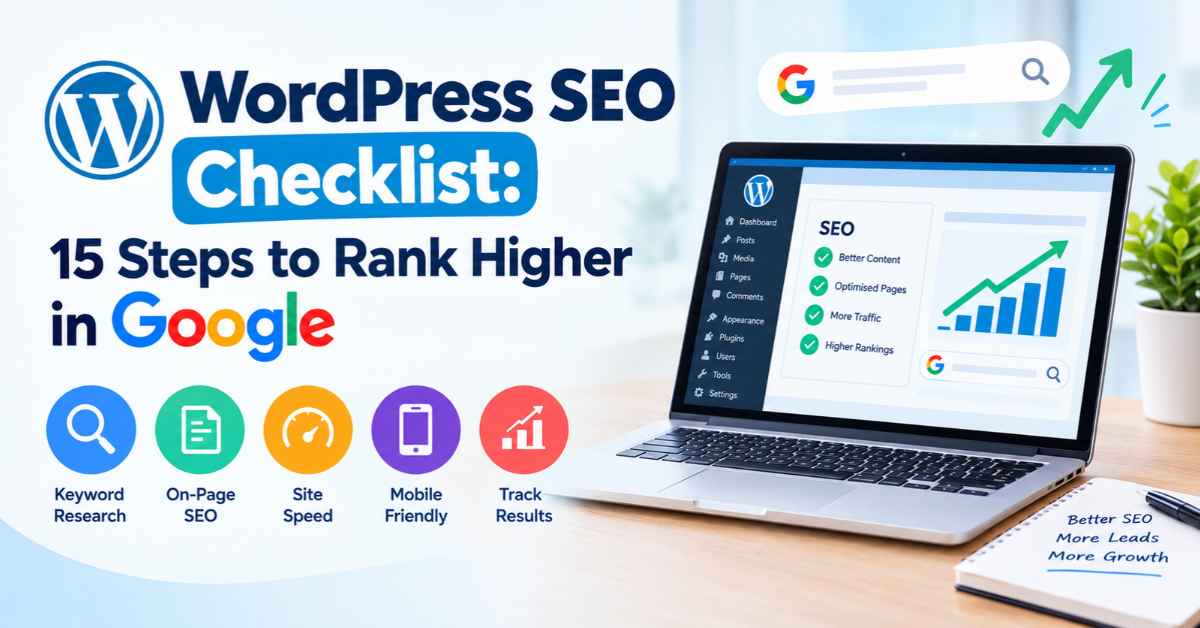
WordPress SEO Checklist: 15 Steps to Rank Higher in Google
WordPress is one of the most popular platforms for building business websites, blogs and online stores. However, simply publishing a WordPress website does not guarantee that it will appear on the first page of Google. To attract organic traffic, generate leads and improve online visibility, you need a clear search engine optimisation (SEO) strategy.
A well-optimised WordPress website helps search engines understand your content, improves the user experience and makes it easier for potential customers to find your business online.
Whether you are a beginner, blogger, business owner or digital marketer, this WordPress SEO checklist will help you optimise your website step by step.
WordPress SEO Checklist: Quick Overview
Before getting into the details, here are the 15 essential steps you should follow to improve your WordPress SEO.
- Choose a reliable WordPress hosting provider.
- Configure your WordPress SEO settings.
- Install and configure an SEO plugin.
- Conduct keyword research.
- Optimise SEO titles and meta descriptions.
- Create high-quality, helpful content.
- Optimise headings and content structure.
- Build a strong internal linking structure.
- Optimise images and image alt text.
- Improve website speed and Core Web Vitals.
- Make your website mobile-friendly.
- Fix indexing and crawling issues.
- Create and submit an XML sitemap.
- Add relevant schema markup.
- Monitor performance using Google Search Console and Google Analytics.
Let’s explore each step in detail.
1. Choose a Reliable WordPress Hosting Provider
Website hosting plays an important role in your website’s performance, security and availability. Slow hosting can affect page loading times and create a poor experience for visitors.
Although hosting alone will not make your website rank higher, reliable hosting provides a strong foundation for technical SEO.
What should you check?
- Server response time and reliability.
- Availability of an SSL certificate.
- Regular backups and security protection.
- Support for the latest stable versions of PHP and WordPress.
- Suitable server resources for your website traffic.
- Availability of server-side caching and modern technologies.
If your target audience is in Australia, consider hosting infrastructure that provides good response times for Australian visitors.
For example, an Australian business serving customers in Sydney, Melbourne and Brisbane should test its website performance from those locations.
SEO tip: Choose hosting based on performance, reliability and support rather than price alone. Cheap hosting may be sufficient for a small website, but growing businesses may need additional resources.
2. Configure Your WordPress SEO Settings
WordPress includes several settings that influence how search engines discover your website.
One of the first things you should check is whether search engine visibility is enabled.
Navigate to:
WordPress Dashboard → Settings → Reading
Find the option labelled “Discourage search engines from indexing this site”.
Make sure this option is unchecked on your live website.
If it remains enabled after your website launch, it can interfere with search engine crawling and indexing.
a. Set your preferred website URL
Your website may be accessible through different URL versions, such as:
Choose your preferred version and configure redirects and canonical URLs consistently. Use HTTPS throughout your website.
Also, remove unnecessary default content, check your permalink settings and ensure that important pages are accessible to visitors and search engines.
b. Use SEO-friendly permalinks
Navigate to:
Settings → Permalinks
For most business websites and blogs, the “Post name” structure is a practical choice.
For example:
Poor URL:
example.com/?p=125
Better URL:
example.com/wordpress-seo-checklist/
Short, descriptive URLs help users understand what a page is about.
If your website is already established, do not change existing URLs without a migration plan. Unplanned URL changes can cause broken links and ranking losses.
3. Install and Configure a WordPress SEO Plugin
An SEO plugin helps you manage important optimisation tasks without editing website code for every change.
Popular options include:
- Yoast SEO: Provides tools for SEO titles, meta descriptions, XML sitemaps and content analysis.
- Rank Math: Offers on-page SEO tools, schema options and other optimisation features.
- All in One SEO: Provides tools for metadata, sitemaps and technical SEO management.
Choose one primary SEO plugin that suits your requirements. Installing multiple plugins with overlapping SEO functions can create conflicts or duplicate output.
What should you configure?
After installation, check the following:
- Set default SEO title formats.
- Configure meta descriptions where appropriate.
- Enable the XML sitemap if the plugin provides one.
- Review indexation settings for posts, pages and taxonomies.
- Configure canonical URLs correctly.
- Add social sharing metadata where useful.
- Check schema settings and avoid duplicate structured data.
Remember that an SEO plugin does not automatically make your website rank higher. It provides tools to help you implement SEO correctly.
4. Conduct Keyword Research Before Writing Content
Keyword research helps you understand what your potential customers are searching for on Google.
Instead of publishing content based only on assumptions, identify the terms your audience uses when looking for your products, services or information.
For example, a Sydney web development business might target keywords such as:
- WordPress website development Sydney
- WordPress SEO services
- Website speed optimisation
- WordPress maintenance services
- How to improve WordPress website rankings
Each keyword has a different search intent.
Someone searching for “how to improve WordPress SEO” probably wants educational information. Someone searching for “WordPress SEO services Sydney” may be looking for a professional service provider.
Your content should match that intent.
How to conduct keyword research
Step 1: Identify your main products, services and topics.
Step 2: Use tools such as Google Keyword Planner, Google Search Console and professional keyword research platforms to find relevant terms.
Step 3: Examine search intent to understand whether users want information, comparisons or a service.
Step 4: Group related keywords into topic clusters.
Step 5: Assign a primary keyword and relevant supporting terms to each page.
Avoid targeting the same primary search intent across multiple pages without a clear reason. Competing pages can confuse users and make it harder to determine which page should rank.
SEO tip: Focus on relevant keywords that can attract the right audience, not simply keywords with the highest search volume.
5. Optimise SEO Titles and Meta Descriptions
SEO titles help search engines and users understand the subject of a page. They can also influence whether someone clicks your result.
Meta descriptions provide a short summary of the page. Google may use them in search results, although it can generate a different snippet based on the query.
a. How to write an effective SEO title
A good title should:
- Clearly describe the page.
- Include the primary keyword naturally.
- Communicate a useful benefit.
- Be distinctive from other page titles.
- Avoid unnecessary keyword repetition.
Example:
WordPress SEO Checklist: 15 Steps to Improve Google Rankings
This title communicates the topic and tells readers what to expect.
b. How to write a compelling meta description
A useful meta description should summarise the content, include relevant terminology naturally and explain why the page is worth visiting.
Example:
“Follow this WordPress SEO checklist to improve website speed, optimise content, fix technical issues and build a stronger foundation for Google rankings.”
There is no guaranteed character limit that ensures Google will display your complete description. Keep it concise and prioritise clarity.
c. Avoid these common mistakes
- Using the same title on multiple pages.
- Writing vague descriptions.
- Stuffing keywords unnaturally.
- Promising information that the page does not provide.
- Adding excessive branding that pushes the main topic out of view.
Review your most important pages regularly, especially those receiving impressions but relatively few clicks.
6. Create High-Quality, Helpful Content
Content is one of the most important parts of a successful SEO strategy.
Google aims to present useful, relevant results that satisfy users’ needs. Your content should therefore answer real questions rather than exist solely to include keywords.
a. What makes WordPress content effective?
Your content should:
- Address the reader’s main question.
- Provide accurate and useful information.
- Explain concepts clearly.
- Include practical examples where appropriate.
- Demonstrate relevant knowledge and experience.
- Be easy to read on desktop and mobile devices.
- Be updated when information becomes outdated.
For example, a guide about WordPress website speed should explain how to test performance, identify common causes of slow loading and prioritise practical improvements.
A short introduction followed by generic statements will rarely provide the same value as a detailed guide that helps readers solve their problems.
b. Use AI responsibly
AI tools can help with research, outlines and editing. However, publishing large amounts of generic or unverified AI-generated content can create quality problems.
Review every article for accuracy, originality, usefulness and relevance. Add genuine expertise, practical examples and insights that improve the reader’s understanding.
The goal is not to publish the most content. It is to publish content that deserves to be found.
7. Optimise Headings and Content Structure
A clear heading structure improves readability and helps users navigate longer pages.
Use one descriptive H1 heading for the main page topic, followed by H2 headings for major sections and H3 headings for supporting subsections.
For example:
- H1: WordPress SEO Checklist: 15 Steps to Rank Higher in Google
- H2: How to Configure WordPress SEO Settings
- H2: How to Optimise Website Speed
- H3: Enable Caching
- H3: Optimise Images
- H2: How to Monitor SEO Performance
The heading structure should reflect the actual content hierarchy. Do not choose headings simply to include more keywords.
Improve readability
Use short paragraphs, meaningful subheadings, numbered instructions and bullet points where appropriate.
For longer articles, consider adding a table of contents with links to the relevant sections.
Also, make sure your opening paragraphs quickly explain what the page offers. Readers should not have to scroll through unnecessary introductions to find the answer.
8. Build a Strong Internal Linking Structure
Internal links connect one page on your website to another page on the same domain.
They help visitors discover related information and help search engines find and understand relationships between pages.
For example, a WordPress SEO guide could link naturally to related articles about:
- Website speed optimisation.
- Technical SEO audits.
- Keyword research.
- WordPress security.
- Content optimisation.
Internal linking best practices
- Link to relevant pages: Ensure the destination adds value to the current discussion.
- Use descriptive anchor text: Text such as “WordPress speed optimisation guide” is more informative than repeatedly using “click here”.
- Prioritise important pages: Link to valuable service pages, category pages and supporting resources where relevant.
- Check for orphan pages: These are pages with no internal links pointing to them. Important pages should generally be accessible through your site’s navigation or contextual links.
- Fix broken internal links: Regularly check for links leading to missing or incorrect URLs.
Avoid adding links simply to increase the number of links on a page. Every link should help users navigate or understand your content.
9. Optimise Images and Image Alt Text
Images can improve user engagement and explain complicated information. However, large or poorly implemented images can slow down your WordPress website.
Image optimisation helps balance visual quality and website performance.
Follow these image SEO practices
Use appropriate file formats: WebP or AVIF can reduce image file sizes where supported by your workflow.
- Compress images: Reduce file sizes without making images unnecessarily blurry.
- Resize images: Do not upload a very large image when a much smaller version will display correctly.
- Write descriptive file names: For example, wordpress-seo-dashboard.webp is more informative than IMG1234.webp.
- Add meaningful alt text: Describe the image’s purpose or important visual information when the image conveys content.
- Lazy-load suitable images: Images below the initial viewport can often be loaded when needed. Avoid lazy-loading the main above-the-fold or Largest Contentful Paint image when this delays its display.
Decorative images should generally have empty alt attributes. Do not insert keywords into alt text when they do not accurately describe the image.
These practices support accessibility, image discovery and performance.
10. Improve Website Speed and Core Web Vitals
Website speed affects the user experience. A slow website can frustrate visitors, increase abandonment and make it harder for users to complete enquiries or purchases.
Google uses Core Web Vitals as part of its page experience assessment.
The three key metrics are:
| Metric | What it measures | Good target |
| Largest Contentful Paint (LCP) | Loading performance | 2.5 seconds or less |
| Interaction to Next Paint (INP) | Responsiveness | 200 milliseconds or less |
| Cumulative Layout Shift (CLS) | Visual stability | 0.1 or less |
These targets are assessed at the 75th percentile of page visits, separately for mobile and desktop.
How to improve WordPress speed
- Enable caching: Use appropriate page caching and browser caching to reduce repeated processing.
- Optimise images: Compress files and serve responsive image sizes.
- Reduce unnecessary plugins: Remove unused plugins and investigate expensive scripts or database queries.
- Use a content delivery network: A CDN can help deliver static assets efficiently to visitors in different locations.
- Minimise unnecessary scripts: Review third-party widgets, tracking scripts and other resources that delay rendering or interaction.
- Choose a lightweight theme: Avoid themes that load excessive features your website does not need.
- Test real performance: Use Google PageSpeed Insights and Search Console’s Core Web Vitals reporting to identify issues.
Do not install multiple optimisation plugins without understanding how their features interact. Conflicting caching, minification and script-delay settings can break website functionality.
11. Make Your WordPress Website Mobile-Friendly
Google primarily uses the mobile version of a website’s content for indexing. A website that works well on desktop but performs poorly on mobile can therefore create SEO and conversion problems.
Most users also expect to browse, read and contact businesses from their phones.
Mobile SEO checklist
- Use a responsive WordPress theme.
- Ensure text is readable without zooming.
- Make buttons and navigation easy to use.
- Avoid horizontal scrolling.
- Ensure forms work correctly on smaller screens.
- Keep important content consistent across mobile and desktop.
- Check that images and videos fit the viewport.
- Test page speed on mobile devices.
Pay particular attention to contact forms, booking systems and enquiry buttons. A visitor who cannot submit a form easily may leave without becoming a customer.
Test your most important pages on actual mobile devices as well as using browser testing tools.
12. Fix Indexing and Crawling Issues
Before a page can appear in Google’s organic search results, Google generally needs to discover and index it.
However, not every page should be indexed. Your goal is to make valuable, search-worthy content accessible while preventing unnecessary or inappropriate URLs from entering the index.
Check these common technical SEO issues
Noindex tags: Confirm that important pages do not have accidental noindex directives.
Robots.txt: Check that crawling is not unintentionally blocked for important resources or pages.
Canonical tags: Ensure that preferred URLs are identified consistently.
Redirects: Use appropriate permanent redirects when pages have genuinely moved.
404 errors: Repair broken links and redirect outdated URLs to relevant replacements where appropriate.
Duplicate content: Review URL variations, duplicate archive pages and similar content that may create unnecessary duplication.
Orphan pages: Ensure important content can be discovered through internal links.
Use Google Search Console
Google Search Console provides tools for checking indexing status, identifying technical problems and inspecting individual URLs.
You can use URL Inspection to investigate whether a page is indexed and view Google’s reported information about the URL.
Remember that submitting a URL for indexing does not guarantee that Google will index it or rank it highly.
13. Create and Submit an XML Sitemap
An XML sitemap lists URLs that you want search engines to discover. It can be especially useful for larger websites, recently published content and sites with complex structures.
Many WordPress SEO plugins generate an XML sitemap automatically.
Depending on your configuration, it may look like:
https://example.com/sitemap_index.xml
The actual sitemap URL depends on the plugin or sitemap generator you use.
How to submit your sitemap
- Open Google Search Console.
- Select the correct website property.
- Navigate to the Sitemaps section.
- Enter the sitemap URL.
- Submit it.
- Review the status and any reported errors.
Ensure your sitemap contains canonical URLs that you want indexed, rather than redirected, noindex or irrelevant URLs.
A sitemap supports discovery, but it does not force Google to crawl or index every listed page.
Also, update your sitemap settings if you change your site’s URL structure or SEO plugin.
14. Add Relevant Schema Markup
Schema markup is structured data that helps search engines interpret information about a page or entity.
Depending on the page and its content, relevant schema types may include:
- Organization: Information about a business or organisation.
- LocalBusiness: Details about an eligible local business.
- Article: Information about an article or blog post.
- Product: Information about products offered for sale.
- BreadcrumbList: Information about a page’s position within a site’s hierarchy.
- Person: Information about an individual when appropriate.
a. Example: Local business schema
A local business website may use structured data to describe its business name, address, telephone number, website and other supported details.
Make sure all information is accurate and consistent with the visible content on your website.
b. How to implement schema in WordPress
You can use an SEO plugin, a dedicated schema plugin or custom JSON-LD code where appropriate.
After implementation, validate the markup using Google’s Rich Results Test when the schema type is supported, and use Schema.org’s validator for broader structured data checks.
Avoid duplicating schema generated by multiple plugins.
Important: Structured data does not guarantee rich results or higher rankings. Google must determine whether your page is eligible and whether displaying a rich result is appropriate.
15. Monitor SEO Performance with Google Search Console and Google Analytics
SEO is an ongoing process. Publishing and optimising pages is only part of the work; you must also measure results and identify opportunities for improvement.
Two useful tools are Google Search Console and Google Analytics.
a. Google Search Console
Use Search Console to monitor:
- Search impressions.
- Organic clicks.
- Click-through rate (CTR).
- Average search position.
- Search queries bringing users to your website.
- Indexing issues.
- Core Web Vitals reports.
For example, a page that receives many impressions but relatively few clicks may benefit from a more relevant title or a clearer search-result description.
A page ranking around positions 8–20 may offer an opportunity for improvement through better content, stronger internal links or a more effective match with search intent.
However, always review the actual search results and the page’s relevance before making changes.
b. Google Analytics
Google Analytics can help you understand what visitors do after arriving on your website.
Monitor metrics such as:
- Organic search traffic.
- Engaged sessions.
- Enquiry form submissions.
- Phone call or booking conversions, where properly tracked.
- Revenue or other business outcomes.
For a service-based business, generating qualified enquiries may be more valuable than increasing traffic alone.
c. Create a regular SEO review schedule
Weekly: Check for major technical issues and monitor important conversions.
Monthly: Review organic traffic, keyword performance, content opportunities and landing-page results.
Quarterly: Audit older content, internal links, technical settings and overall SEO strategy.
Use the results to prioritise changes rather than making random edits without a clear objective.
Additional WordPress SEO Best Practices
The 15 steps above cover the main areas of WordPress SEO. The following practices can further strengthen your website.
1. Improve website security
Keep WordPress core, themes and plugins updated. Use strong authentication, reliable backups and appropriate security measures.
A compromised website can harm visitors, damage trust and create serious search visibility problems.
2.Manage categories and tags carefully
Categories and tags should help users navigate your content. Avoid creating dozens of thin archive pages that offer little additional value.
For blogs, use a logical category structure and link related articles together.
3. Optimise your 404 page
A helpful 404 page should explain that the requested page cannot be found and offer useful navigation back to relevant content.
When a page has moved permanently, use a relevant redirect rather than sending every missing URL to the homepage.
4. Build relevant backlinks
Backlinks from reputable, relevant websites can help search engines discover pages and understand their importance.
Focus on creating useful resources, building genuine industry relationships and earning editorial mentions.
Avoid buying manipulative links or participating in link schemes intended to influence rankings.
5. Optimise local SEO for Australian businesses
If your business serves a particular area, create useful location-specific service pages where they genuinely help customers.
Keep your business details consistent, maintain an accurate Google Business Profile where eligible and encourage genuine customer reviews without incentives or manipulation.
For example, a business serving Parramatta should clearly explain its services and relevance to Parramatta rather than publishing near-identical pages for every suburb.
Common WordPress SEO Mistakes to Avoid
Even if you follow the checklist, certain mistakes can undermine your results.
- Keyword stuffing: Repeating the same phrase unnaturally makes content harder to read.
- Publishing thin content: Pages that offer little value may fail to satisfy user needs.
- Ignoring mobile performance: Poor mobile usability can reduce engagement and conversions.
- Installing too many plugins: Excessive or poorly configured plugins can create security, compatibility and performance issues.
- Ignoring technical errors: Accidental noindex tags, broken redirects and blocked pages can prevent important content from appearing in search.
- Expecting immediate results: SEO performance can take weeks or months to develop, depending on competition, website history and the work required.
- Changing URLs without redirects: Unplanned URL changes can break links and disrupt existing search visibility.
Focusing only on rankings: Traffic, enquiries, sales and customer quality are also important measures of SEO success.
How Long Does WordPress SEO Take to Show Results?
There is no fixed timeframe for SEO results.
Some technical improvements may produce noticeable changes relatively quickly, particularly if they resolve a serious crawling or indexing issue. Content improvements and authority-building activities usually require more time.
The timeframe depends on factors such as:
- Your website’s age and existing authority.
- The competitiveness of your target keywords.
- The quality and relevance of your content.
- The severity of technical problems.
- Your competitors’ SEO strategies.
- How consistently you maintain and improve your website.
Rather than promising first-page rankings within a specific period, establish measurable goals and review progress regularly.
Final WordPress SEO Checklist
Before considering your website optimised, use this checklist to review the most important tasks.
- Choose reliable hosting.
- Confirm that WordPress allows search engine indexing.
- Configure one primary SEO plugin.
- Research relevant keywords and search intent.
- Write unique SEO titles and meta descriptions.
- Publish helpful, accurate content.
- Structure headings logically.
- Add useful internal links.
- Compress images and write appropriate alt text.
- Improve Core Web Vitals and loading performance.
- Test mobile usability.
- Fix crawling, indexing and canonicalisation issues.
- Submit an accurate XML sitemap.
- Implement and validate relevant schema markup.
- Monitor search performance and business conversions.
Need Professional WordPress SEO Services?
Following a WordPress SEO checklist is an excellent starting point, but achieving sustainable organic growth often requires ongoing keyword research, technical audits, content optimisation, internal linking and performance monitoring.
If your website is not generating enough organic traffic or qualified leads, a professional SEO audit can help identify the issues holding it back.
App and Website helps Australian businesses improve their online presence through website development, SEO and digital marketing services. By combining technical improvements with relevant content and a clear optimisation strategy, businesses can build a stronger foundation for long-term organic growth.
Visit App and Website to explore how professional WordPress SEO can help your business improve search visibility, attract relevant visitors and generate more enquiries.



 sales@appandwebsite.au
 1800 491 810